Everything Websites does

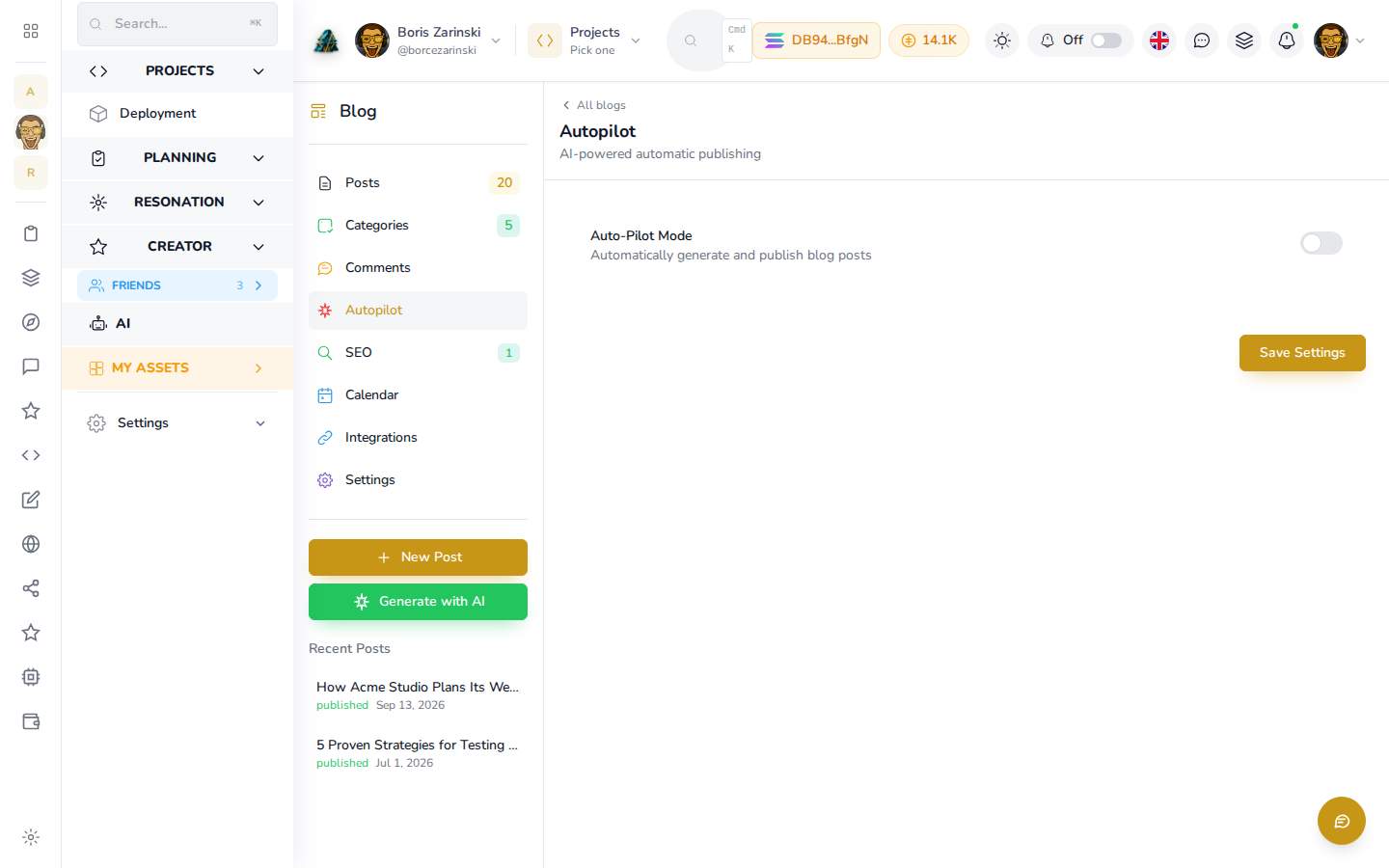
Blog autopilot

A blog that ships every week. Even the busy ones.

Autopilot finds the topics worth covering, drafts the post, schedules it, and tweets it when it goes live. Your keyword research finally becomes published pages, and the blog stops dying the moment the quarter gets busy.

Blog autopilot

The Blog tab with a content calendar, discovered topics, and a scheduled draft ready to publish

Inside the tab

From a keyword gap to a published post.

Topic discovery

The blog knows what to write about next.

Discovery reads the keyword gaps between you and your competitors and proposes the topics worth covering. You approve the ones that fit, and subtopics break a big theme into a series of real posts.

  • Topics proposed from your keyword gaps
  • Subtopics turn a theme into a series
  • You approve before anything is drafted
Topic discovery

Discovered blog topics listed with the keyword gap behind each one

Drafting

A real draft, not a blank page.

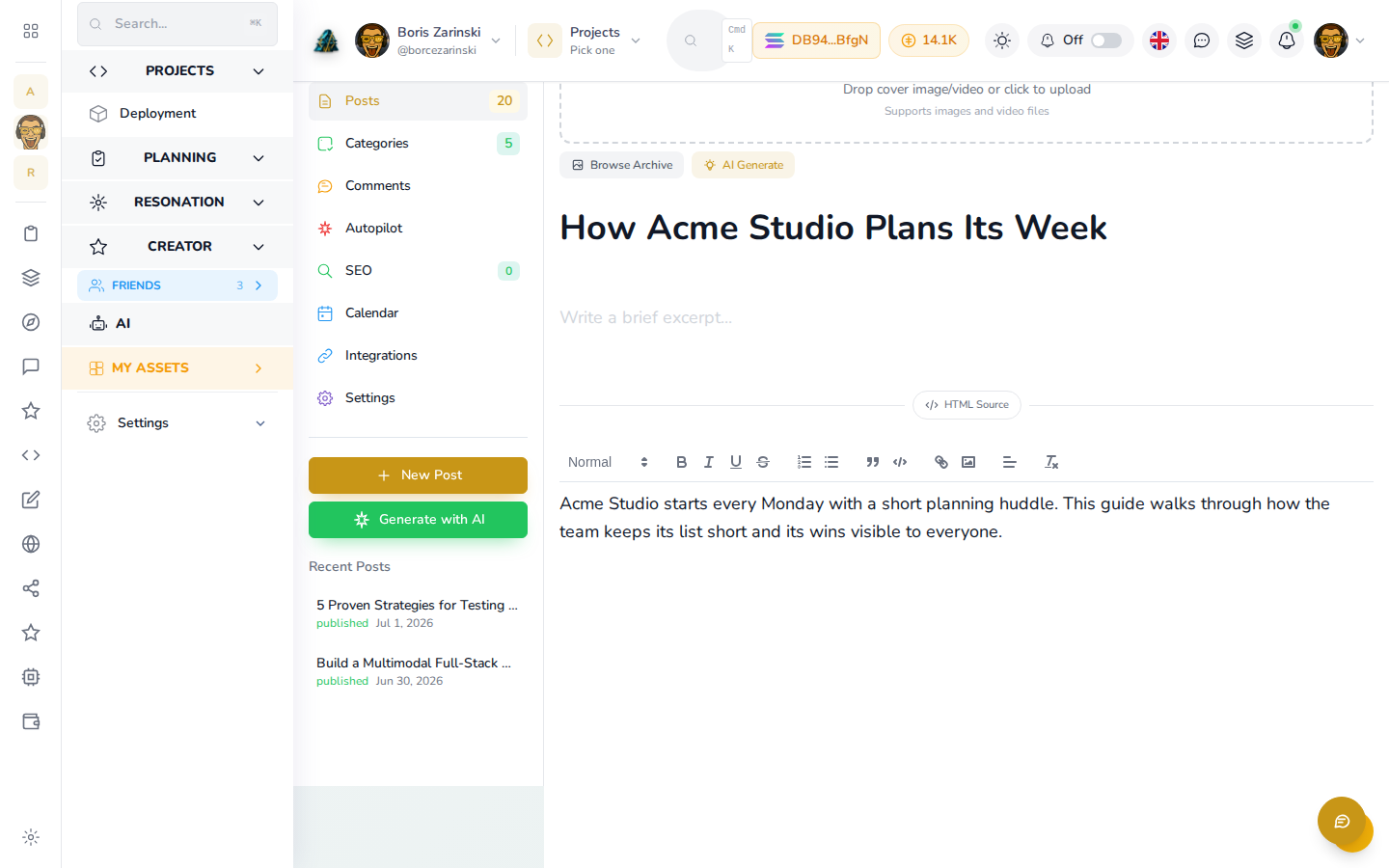
An approved topic becomes a full draft with its own SEO title and description. It is yours to edit before anything is published, so the AI does the staring-at-the-cursor part and you keep the final word.

  • Full drafts with SEO title and description
  • Edit anything before publish
  • Categories to keep the archive tidy
Drafting

A generated blog draft open in the editor with its SEO fields filled

Scheduling

Set the rhythm once and leave it.

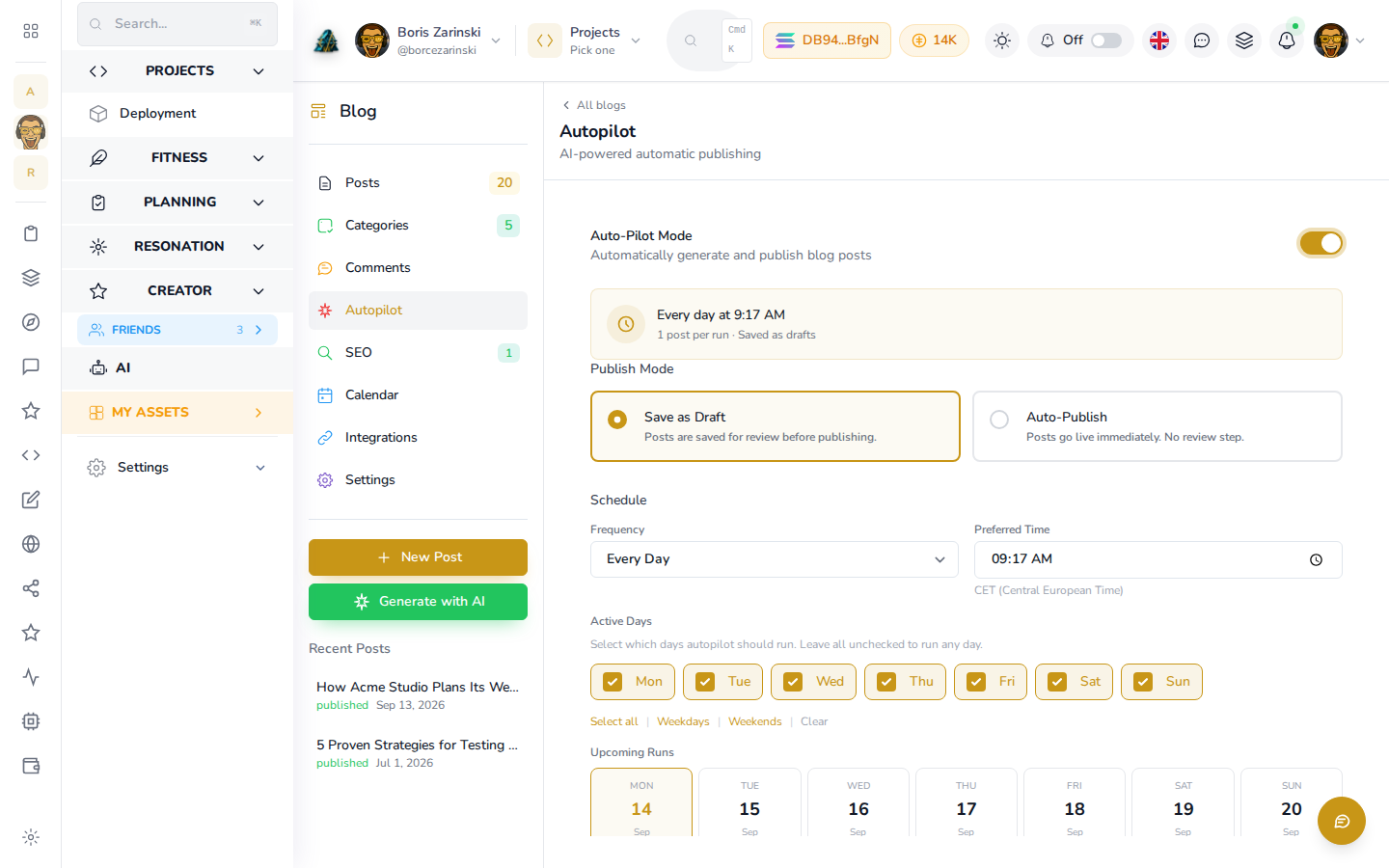
Autopilot publishes on the cadence you choose, so the blog keeps its promise without a weekly reminder in your calendar. A quiet month for you is still a normal month for your site.

  • Publish on the cadence you set
  • Scheduled posts you can still edit
Scheduling

A publishing schedule with upcoming posts queued on their dates

Promotion

Every post announces itself.

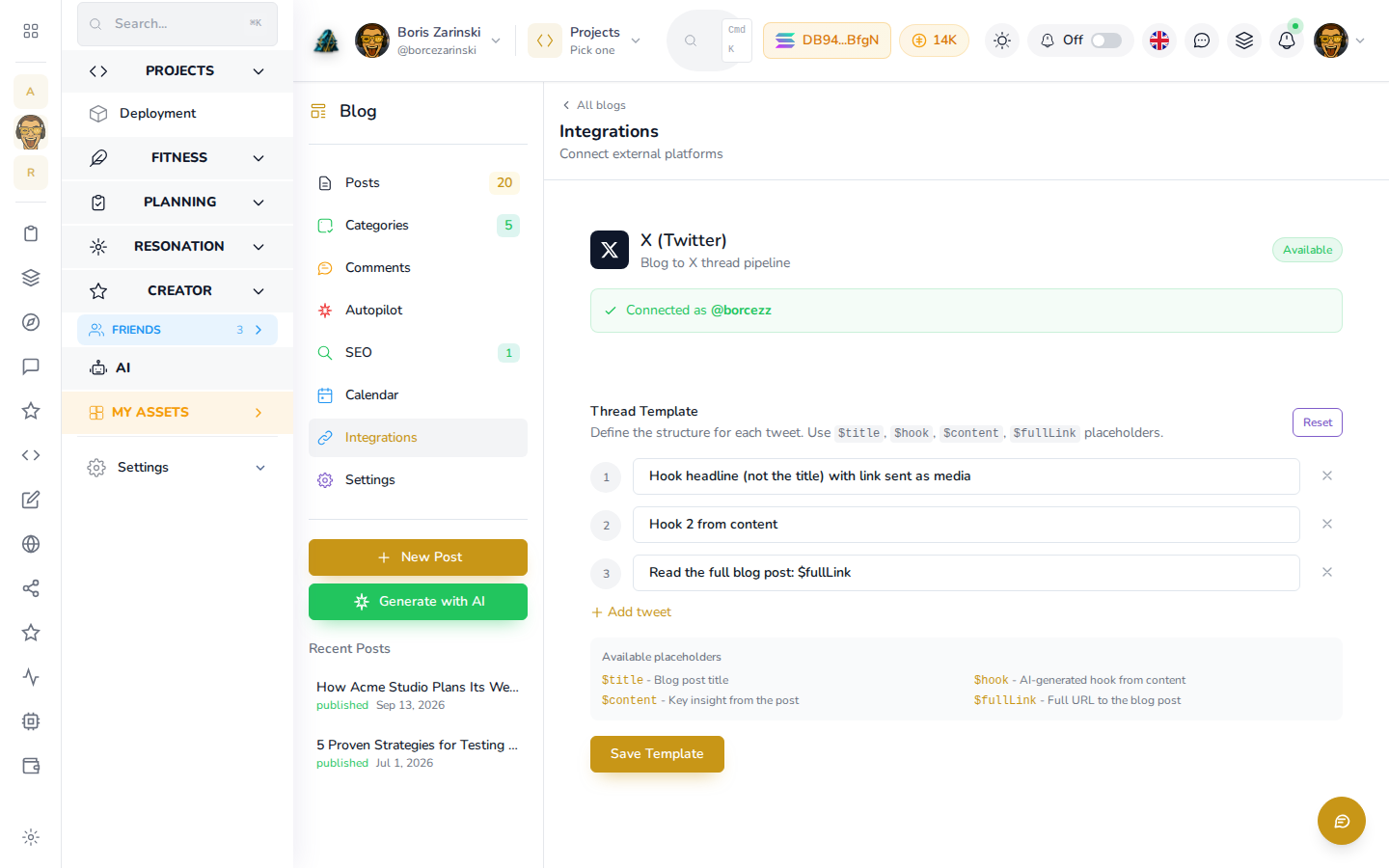
A published post is auto-tweeted, so promotion stops being a second job you forget to do. The post goes out while it is new, not whenever someone remembers it exists.

  • Auto-tweet on publish
  • Promotion tied to the publish event
Promotion

A published post and the tweet that announced it automatically

Bring your archive

Your old posts come with you.

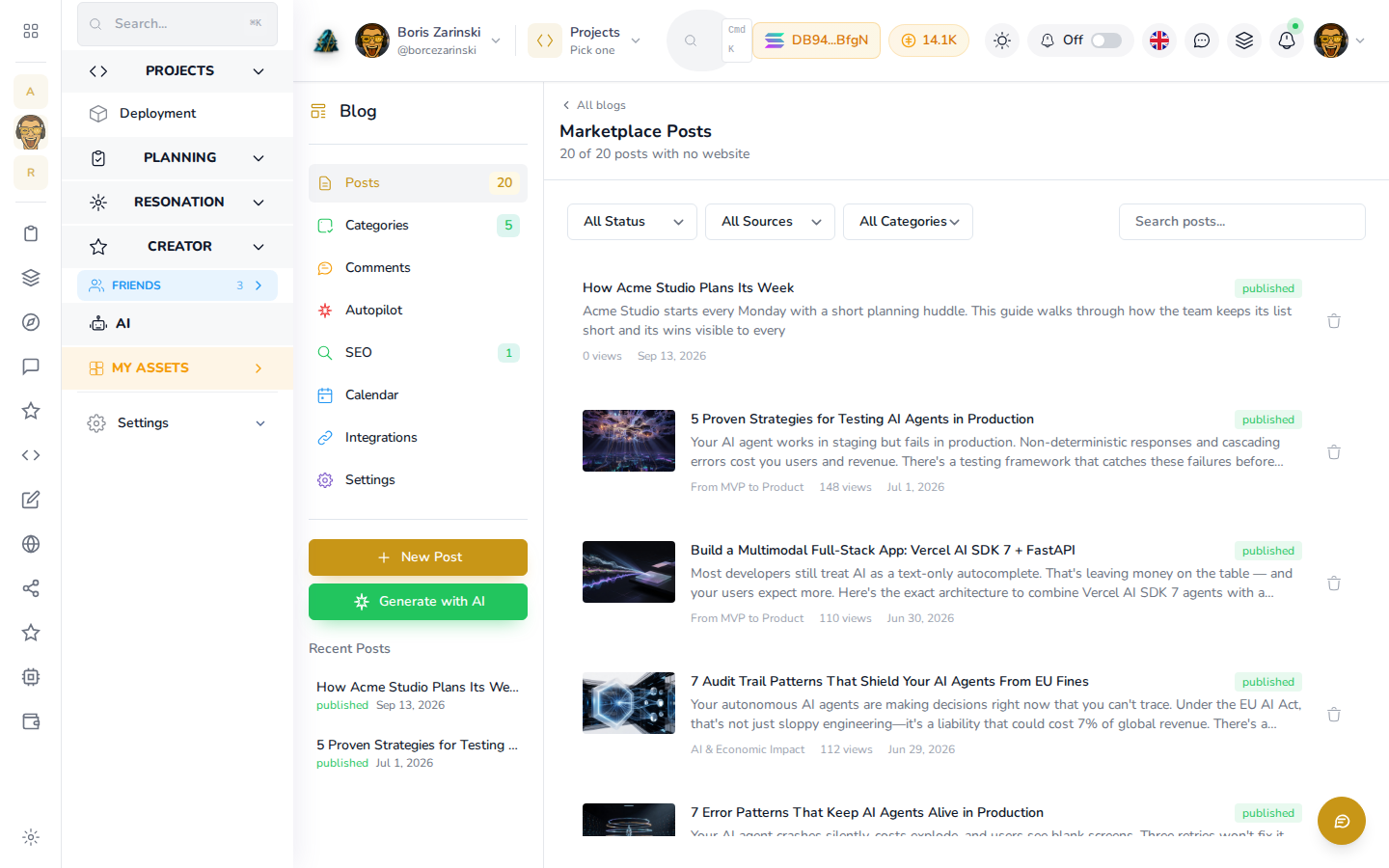
An existing WordPress or Squarespace blog can move across, so years of writing keep working for you. You start with your archive intact rather than an empty category list.

  • Import from WordPress or Squarespace
  • Keep the archive you already built
Bring your archive

An existing blog archive imported into the Blog tab

Common questions

How the blog runs itself.

Does anything publish without me seeing it?+

Only if you want it to. Autopilot can run the full loop on a schedule, and you can also review and edit any draft before it goes live.

Where do the topics come from?+

From the same SEO data as the rest of the dashboard, mainly the keyword gaps between your site and the competitors tracked for your market.

Can I move an existing blog over?+

Yes. An existing WordPress or Squarespace blog can be brought in so your archive comes with you.

How does a post get promoted?+

Publishing auto-tweets the post through your connected account, so promotion happens at the moment the post is new.

Does the blog show on my own site?+

Yes. Your site reads its posts over its read-only website token, which is exactly how this storefront serves its own blog.

Content that keeps coming

Turn your keyword gaps into a blog that never misses a week.

Topic discovery, drafting, scheduling, and promotion sit on the same rails as your SEO, so the research and the writing stop living in different tools.

Start the blog

See it in the docs, with video